In an era where businesses rely entirely on digital communication, cybercriminals have traded sophisticated hacking tools for something much simpler: deception. Every single day, millions of malicious messages flood corporate inboxes worldwide. These aren’t technical exploits designed to crack your firewall; they are psychological tricks designed to exploit human nature.
For modern businesses, staying safe requires absolute clarity on how these scams operate. If you want to protect your team, you have to start with the absolute fundamentals: what is phishing, and how can your employees identify what is a phishing email before clicking a catastrophic link?
At Zephi IT, we believe education is your primary line of defence. Let’s break down the mechanics of this digital threat and how to secure your business infrastructure against it.
Defining the Threat: What is the Meaning of Phishing?
To understand how to defend your IT network, we must first look at the core definition of the threat.
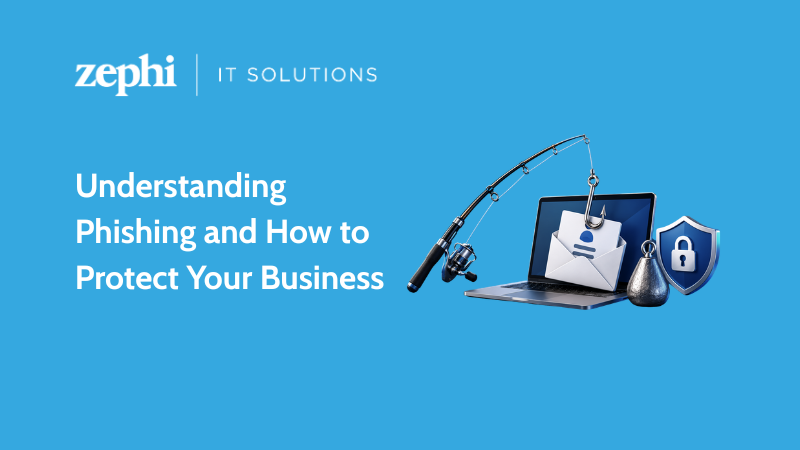
Phishing is a form of social engineering where cybercriminals masquerade as a trustworthy entity—such as a bank, a well-known supplier, or even a senior executive within your own company—to trick individuals into revealing sensitive information.
This information typically includes login credentials, corporate credit card details, or intellectual property. The “meaning” of phishing goes beyond mere data theft; it is an attempt to bypass expensive security software by simply asking an employee for the keys to the kingdom.
Unlike traditional hacking, which targets software vulnerabilities, phishing targets human vulnerabilities: urgency, fear, curiosity, or desire to please a manager. If a criminal successfully tricks a member of your staff, they can walk right past your firewalls without triggering a single technical alarm.
Spotting the Trap: What is a Phishing Email?
The most common delivery mechanism for these scams is electronic mail. But what does one actually look like in a real-world scenario?
Essentially, a phishing email is a fraudulent message crafted to look entirely legitimate. It will frequently use stolen corporate branding, realistic email signatures, and spoofed sender addresses that look nearly identical to official domains.
These messages almost always contain a specific call-to-action. They will either urge the recipient to click a link that leads to a spoofed, fake login portal, or they will ask them to download an attachment—such as a fake “overdue invoice”—that secretly installs malware or ransomware onto the company network.
Anatomy of a Phishing Attack
To help your team identify these threats trackside, it helps to know the specific red flags hidden within a fraudulent message. Here are the three most common components to look out for:
1. The Spoofed Display Name
A message might appear to come from “Microsoft Support” or your managing director at first glance. However, looking closely at the actual email address behind the display name often reveals a random domain (e.g., support@micros0ft-security-update.com instead of microsoft.com).
2. High-Pressure Language
Cybercriminals do not want your staff to think logically. They use urgent phrases like “Your account will be suspended within 24 hours” or “Immediate action required: unauthorised transaction discovered.” This panic drives employees to act before verifying the source.
3. Masked Hyperlinks
If you hover your mouse cursor over a link in a fraudulent email without clicking it, the actual destination URL will appear in the bottom corner of your screen. If the text says “Click here to login to your banking portal” but the underlying link points to an unknown, chaotic web address, it is a definitive trap.
3 Pillars of Total Business Protection
Securing your business requires a multi-layered approach that combines human awareness with robust technical guardrails.
[Staff Training] ──> [Email Filtering Software] ──> [Multi-Factor Authentication]
Regular Cyber Security Simulation
The human element is your perimeter. Running routine, controlled phishing simulations allows your staff to practice spotting red flags in a safe environment, drastically reducing the likelihood of a real-world click. You can learn more about building a resilient workforce through our comprehensive Cyber Security Training services.
Advanced Threat Protection
Relying entirely on human vigilance is a gamble. Incorporating cloud-based email filtering software into your setup allows you to catch and quarantine malicious messages before they ever land in an employee’s inbox. Discover how to wrap your network in enterprise-grade security by exploring our managed technical IT Support solutions.
Multi-Factor Authentication (MFA)
Even if an employee accidentally enters their password into a fake phishing page, MFA acts as a final safety net. Because the cybercriminal won’t have access to the secondary verification code sent to the employee’s physical device, the stolen password becomes virtually useless to them.
Don’t Wait for the Bait: Secure Your IT Systems Today
Cybercriminals are constantly refining their tactics, making phishing attempts harder to spot with every passing year. Protecting your business requires proactive management, up-to-date software, and a team that knows exactly what to look out for.
At Zephi IT, we specialise in auditing corporate networks, implementing ironclad email security protocols, and providing the day-to-day IT support businesses need to grow safely in a digital landscape.
Is your business fully protected against modern email threats? Get in touch with Zephi IT today for a comprehensive Cyber Security Assessment and let our expert team ensure your business never gets caught on the line.